
Why most NZ sawmills outgrow Excel for inventory management
Five signs your sawmill has outgrown spreadsheet-based inventory tracking, and what a purpose-built system actually needs to handle for NZ timber operations.
Read furtherWritten on
How to design a barcode scanning workflow that survives a NZ timber yard. Covers symbology, tag durability, scan points, offline sync, and integration with dispatch and inventory.
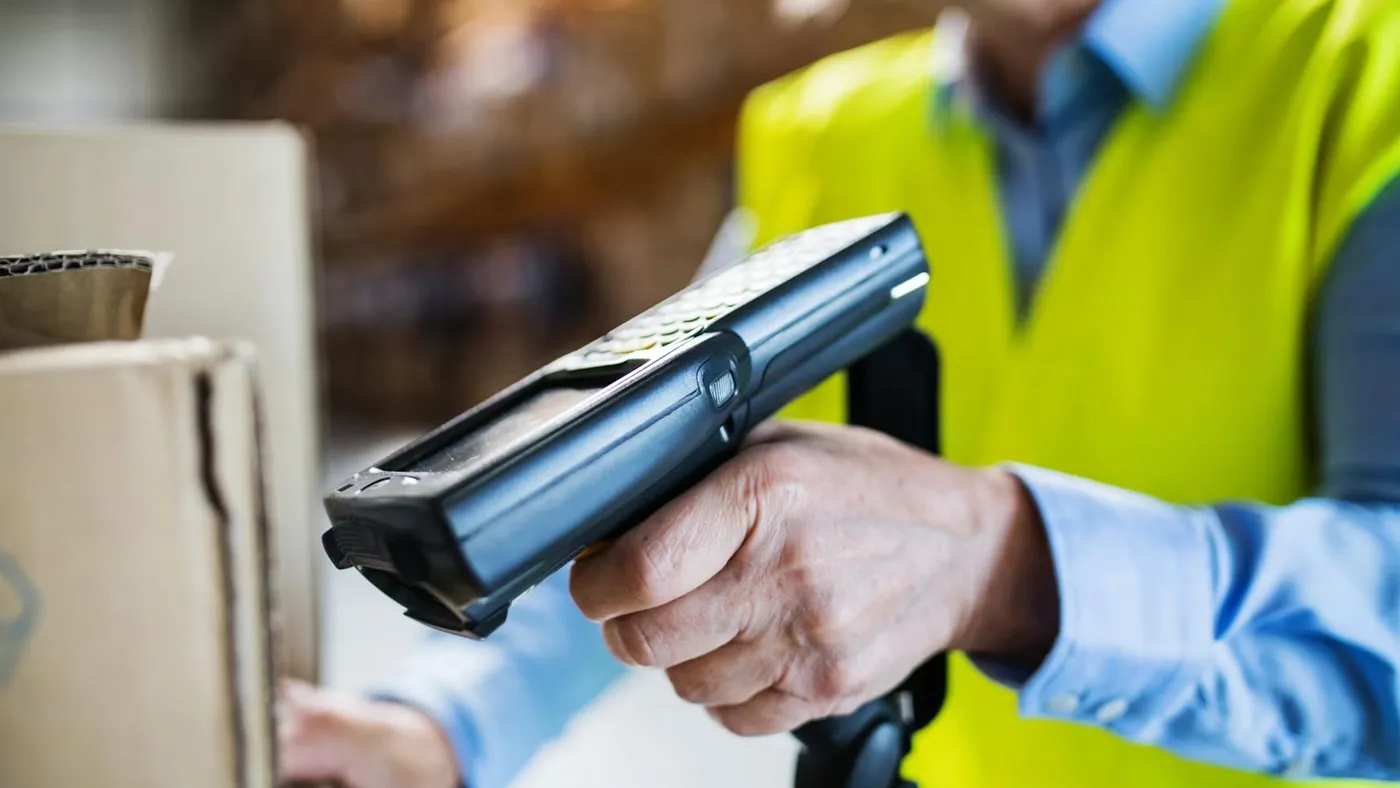
Barcode scanning in a sawmill yard is nothing like scanning in a warehouse. Warehouses have concrete floors, climate control, WiFi coverage, and products that sit on shelves wrapped in clean packaging. A timber yard has mud, rain, forklift traffic, packs stacked three high against a fence, and labels that have been through a CCA treatment bath or a kiln cycle at 140 degrees.
Designing a scanning workflow that actually works in these conditions requires thinking about the problem differently from a standard warehouse management system. This guide covers the practical decisions you need to make: what barcode format, what tag material, where to scan, how to handle connectivity gaps, and how scanning data flows through to your inventory and dispatch systems.
The barcode format you choose affects scanning reliability, the amount of data you can encode, and hardware compatibility.
The standard choice for NZ timber pack labels. Code 128 is a linear (1D) barcode that encodes alphanumeric data efficiently. It’s supported by every commercial barcode scanner on the market, reads reliably at scanning distances of 30-60cm (depending on barcode width and print quality), and is straightforward to generate from any label printing system.
For most sawmill operations, encode your pack ID as a Code 128 barcode. Keep the encoded string short (under 20 characters). Longer strings require wider barcodes that are harder to print legibly on tag stock and more sensitive to print quality issues.
If you need to encode additional data beyond the pack ID (species code, grade, treatment class), consider using GS1 Application Identifiers. But in practice, encoding only the pack ID in the barcode and storing all other attributes in your database is simpler and more reliable. The barcode is a key that unlocks the full record, not a container for all the data.
QR codes can encode significantly more data than 1D barcodes and include built-in error correction, which means they can still scan even when partially damaged. The trade-off is that QR codes require 2D scanning capability (not all ruggedised PDA scanners support this natively), need a larger print area for reliable outdoor scanning, and provide no advantage if you’re only encoding a pack ID.
QR codes make sense if you want to encode a URL that links directly to the pack’s digital record, or if you need to encode structured data (pack ID + species + grade + treatment in a single scannable element). For most NZ mills starting with barcode scanning, Code 128 is the pragmatic choice.
A scanning workflow needs to define where in the timber’s journey through your operation a scan event occurs. Each scan point captures different information and serves a different purpose.
The first scan happens when a new pack is created, typically at the green mill or after grading. The operator scans the barcode on the new pack label and enters the pack attributes: species, grade, treatment status, dimensions, piece count. This creates the pack record in your system.
This is the most data-intensive scan point. Every subsequent scan references the record created here. If the pack creation data is wrong (wrong species, wrong grade, wrong piece count), every downstream process inherits that error.
Keep the data entry interface fast and focused. Pre-populate where possible (if the grading line is running SG8 radiata 90x45, default those values and let the operator confirm rather than re-entering for every pack). Use reference data dropdowns rather than free-text fields to prevent typos and inconsistency.
When a forklift operator relocates a pack, a movement scan records what moved and where it went. The operator scans the pack barcode and the destination station barcode (if you’re using station barcodes at each yard location).
Movement scans serve two purposes. First, they keep your yard map accurate so you know where every pack is. Second, they create an audit trail that helps investigate discrepancies at stocktake time.
Movement scanning needs to be fast. If scanning a move takes more than 10 seconds, forklift operators will stop doing it. Design the workflow as: scan pack, scan destination, done. No confirmation screens, no data entry, no waiting for server response.
During a physical count, operators walk the yard scanning every pack they encounter. The system compares each scanned barcode against the expected inventory and classifies the result: found, missing, unexpected, or unknown.
Stocktake scanning is covered in detail in the stocktake guide. The key design consideration is that stocktake scans should work entirely offline. You don’t want a stocktake stalled because the WiFi dropped out behind the kiln shed.
When packs are loaded onto a truck for dispatch, each pack is scanned as it’s loaded. The system verifies each pack against the dispatch order: right customer, right species, right grade, right treatment, right dimensions.
This is where scanning prevents the most costly errors. A forklift operator pulling packs for a customer order can’t visually distinguish SG8 from SG10, or H3.1 from H3.2. The scan-and-verify step catches mismatches before the truck leaves your yard.
Dispatch scanning should provide immediate feedback: a clear green/red confirmation that the scanned pack matches the order. If it doesn’t match, the operator needs to know immediately, not after they’ve loaded six wrong packs.
This is the design consideration that separates a timber yard scanning system from a warehouse scanning system. Many NZ sawmills operate in rural areas with limited or patchy mobile coverage. WiFi coverage may not extend across the entire yard. And even where connectivity exists, it can drop out at the worst moments.
The right approach is to design scanning as offline-first. Every scan is stored locally on the PDA device the moment it happens. The local database is the source of truth for the operator. When connectivity is available, a background sync process uploads queued scans to the server.
This means:
The offline-first pattern introduces the question of what happens when two operators scan the same pack while both offline. In practice, this is a non-issue for most scan types because scans are append-only events. A movement scan records “pack X moved to station Y at time T by device D”. Two movement scans for the same pack simply represent two sequential movements.
The one scenario that needs care is pack creation. If two operators create a pack record with the same barcode ID while both offline, the server needs to detect and resolve the duplicate when both devices sync. This is handled by duplicate barcode detection during sync.
Ruggedised PDA scanners are the standard for timber yard scanning. The key requirements are: IP65 or higher ingress protection (dust and water resistance), drop rating to 1.5m minimum (forklifts vibrate, devices get dropped), integrated 1D barcode scanner (laser or imager), sunlight-readable screen, and battery life to last a full shift (8+ hours of active scanning).
ALPS ruggedised PDA devices are commonly used in NZ timber operations. They’re built for industrial outdoor use and integrate well with Android-based scanning applications.
Consumer smartphones can work in a pinch (most modern phones can scan barcodes via camera), but they lack the durability, scanning speed, and battery life needed for all-day yard use. A phone with a cracked screen and a flat battery by 2pm is not a scanning solution.
Your barcode labels need to be printed at sufficient resolution and contrast for reliable scanning. Thermal transfer printers on synthetic label stock (Tyvek or polypropylene) produce the most durable, scan-reliable labels for outdoor use. Direct thermal labels fade in UV exposure and are not suitable for packs that will sit outdoors for weeks.
Test your printed barcodes with your actual scanning hardware in actual conditions. A barcode that scans perfectly on your desk may fail in direct sunlight, at a distance, or through a dusty scanner lens.
Scanning is an input mechanism. The value comes from what happens with the scan data downstream.
Every pack creation scan adds a pack to inventory. Every dispatch scan removes one. Every movement scan updates the location. The inventory dashboard reflects these changes in real time (or near-real-time for offline scans that sync with a short delay).
This eliminates the “how much stock do we have?” uncertainty that plagues spreadsheet-based operations. The inventory count is a live running total, updated by every scan event rather than a manual entry that someone gets around to on Friday afternoon.
When a dispatch order is created, it specifies which packs (by barcode ID) should be loaded. As each pack is scanned during loading, the system checks it against the order. When all ordered packs have been scanned, the dispatch docket can be generated with confidence that what’s on the truck matches what’s on the paperwork.
Scan data from stocktakes feeds directly into the reconciliation workflow. The system can compare physical scan results against the current inventory database and produce a variance report automatically, categorising every pack as found, missing, unexpected, or unknown. Manual reconciliation of clipboard tallies against spreadsheets becomes unnecessary.
If you’re running a yard without barcode scanning today, the most pragmatic starting point is:
The transition from no scanning to full scanning doesn’t need to happen overnight. Most mills introduce it one scan point at a time over a few months. The key is to start labelling consistently so that when you do roll out scanning at scale, every pack in the yard has a barcode waiting to be read. If you’re still evaluating whether your operation is ready for the move away from manual tracking, see our guide on the signs your sawmill has outgrown Excel.
Purpose-built for NZ sawmills
Ready to replace the spreadsheet?
See how Timberflow works for your operation — from first scan to dispatch docket.
Five signs your sawmill has outgrown spreadsheet-based inventory tracking, and what a purpose-built system actually needs to handle for NZ timber operations.
Read further
How to design a barcode scanning workflow that survives a NZ timber yard. Covers symbology, tag durability, scan points, offline sync, and integration with dispatch and inventory.
Read further
A practical guide to NZ structural timber grades for sawmill operators. Covers the SG system, machine vs visual grading, the 2011 amalgamation, grade stamps, and how grading data flows into inventory.
Read further